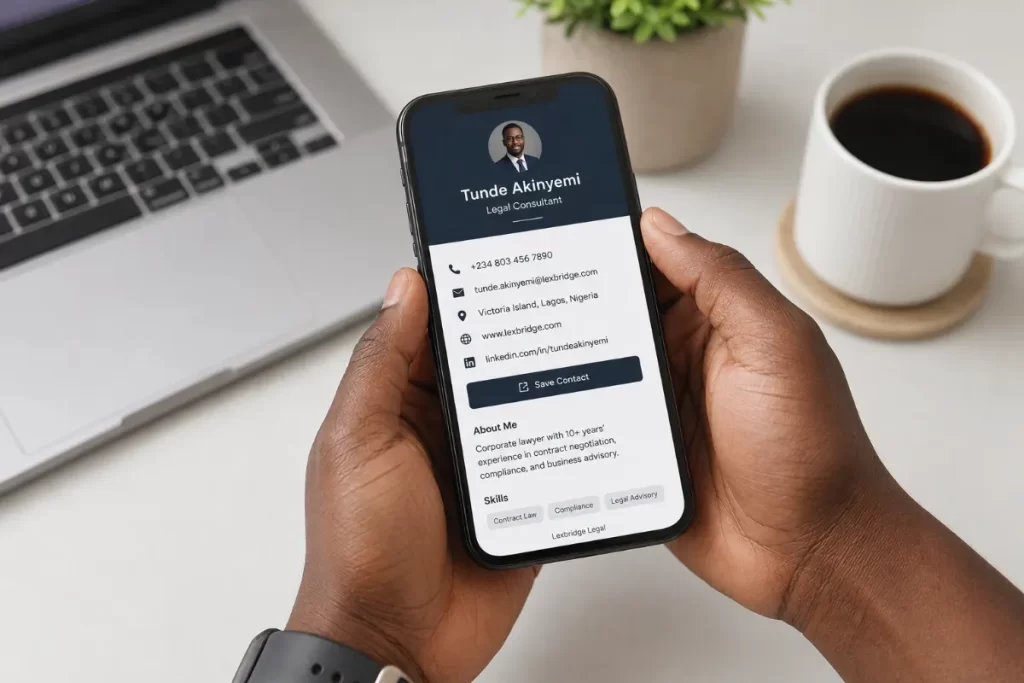
Your Movotag NFC card is only as powerful as the profile behind it. When someone taps your card, the first thing they see is your digital profile — so it’s worth getting right. This guide walks you through everything from choosing your template to going live.
Step 1: Create your account
Head to app.movotag.com and sign up. If you already ordered a card, use the email address you checked out with — your order will be linked automatically.
Step 2: Choose your template
Movotag offers six profile templates, each designed for a different professional style:
- Classic — Clean and minimal. Works for everyone.
- Bold — Dark and striking. Makes a strong impression.
- Executive — Gold accents and a cover layout. Ideal for senior leaders and C-suite professionals.
- Adviser — Navy and professional. Perfect for consultants and advisers.
- Minimal — Editorial and spacious. Great for creatives and thought leaders.
- Founder — Light and vibrant. Built for entrepreneurs and startup founders.
You can switch templates any time without losing your data, so feel free to try a few before settling on one.
Step 3: Fill in your details
Go to Profile Builder and add your full name and job title, your company name, a professional profile photo, a short bio of two to three sentences, and your location. If you’re on a Pro plan, you can also add years of experience, number of clients served, a booking link, and your services.
Step 4: Add your links
Add the links that matter most for your work — WhatsApp so people can message you instantly, LinkedIn for professional connections, email for direct contact, your website or portfolio, and social media if relevant to your brand. Keep it focused. Five to seven strong links are better than fifteen scattered ones.
Step 5: Customise your profile URL
By default you’ll get a URL like app.movotag.com/u/your-name-1234. Go to Settings and customise your slug to something clean like app.movotag.com/u/yourname.
Step 6: Activate your NFC card
Once your physical card arrives, activate it in one of two ways. Tap your card on your phone — it will open a link that activates automatically. Or enter your token manually — the short code printed on the back of your card. Once activated, every tap of your card opens your live profile instantly.
Step 7: Share your profile
You don’t need to wait for your card to start sharing. From your dashboard, copy your profile link and add it to your email signature, LinkedIn bio, Instagram or Twitter bio, and WhatsApp status. Your Movotag profile works everywhere — the NFC card is just the most impressive way to share it.
Ready to get started? Create your free account or order your NFC card at app.movotag.com.